

Answer: “Yes”
Free Wi-Fi is definitely available at all international airports in Thailand. It is quite reliable and fast, in spite of the fact that hundreds of passengers connect at the same time. There are certain risks and a specific but short time limit (typically 60 minutes to 2 hours per day). The connection is generally stable, but its speed varies during busy hours compared to less crowded times.
Connection of Wi-Fi

Select the Wi-Fi connections from your device settings and scan for available networks. It’s better if you confirm the official airport Wi-Fi name, then select “AOT” on your mobile or other device to connect to the network.
Upon connection, it will ask for your email address or passport number. Then accept the terms and conditions, and you are now connected and can start your session. This connection generally lasts for 1 to 2 hours, but you can reconnect by going through the same process again.
Avoid all other networks (such as “Free Wi-Fi,” “Free Airport Wi-Fi,” or similar names), as most of these are rogue hotspots or scams designed to steal your credit card and passport information. A VPN is recommended for a secure connection, as it adds an additional layer of security.
Is It a Secure Connection?

Remember, public Wi-Fi is never fully secure and is often unencrypted. That means anything you do online—such as banking transactions or entering passwords—can be visible to cybercriminals.
It’s better to avoid work emails, sensitive tasks, online purchases, or bank transactions when using public, airport, or free networks. Additionally, there are password-protected and more secure Wi-Fi connections available in airport lounges.
The best option is to buy a tourist SIM at the airport, from the market, or use an eSIM to ensure the safety of your information.
USB Port
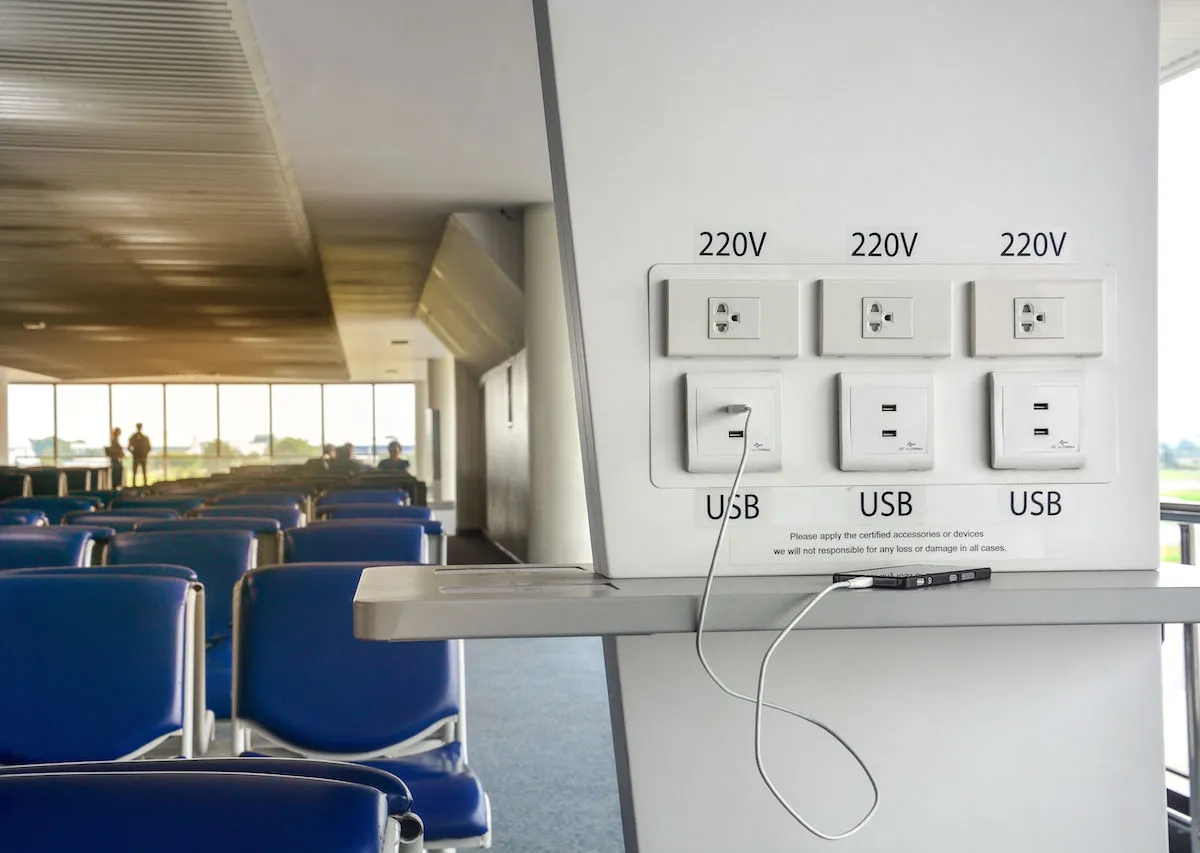
Tip: It’s better to turn off auto-connect at airports and in places where free Wi-Fi is available. Also, avoid plugging into airport USB ports for charging, as this may lead to data breaches.
FAQs
1. Is airport Wi-Fi in Thailand really free?
Yes, Wi-Fi is free at all major international airports in Thailand, but it usually comes with a time limit per session.
2. How long can I use free Wi-Fi at Thai airports?
Typically, you can use it for 60 minutes to 2 hours per session. You can reconnect after the session ends.
3. What is the official Wi-Fi network name at Thai airports?
The official network is usually “AOT Free Wi-Fi.” Always confirm the name at the airport before connecting.
4. Is it safe to use airport Wi-Fi in Bangkok?
It is reasonably safe for general browsing, but not for sensitive activities like banking or entering passwords. Using a VPN is recommended.
5. Can I use airport Wi-Fi for video calls or streaming?
Yes, but the speed may vary depending on how many users are connected at the time.
6. Should I use a VPN on airport Wi-Fi?
Yes, using a VPN adds an extra layer of security and helps protect your personal data.
7. Is it better to buy a SIM card instead of using airport Wi-Fi?
Yes, a tourist SIM or eSIM is more secure, faster, and more reliable for continuous internet access.
8. Are airport USB charging ports safe to use?
Not always. It’s safer to use your own charger and plug into a power outlet instead of using USB ports.

Zach Cameron & Zahid Karim
Travel Analyst | 11+ years experience














Community Insights
Join the conversation
Login or create an account to share your thoughts and react to comments.